Upload your video. Get it back edited.
Text on screen, cuts, captions and sounds, all in your brand. You never have to open CapCut.
AI made your video in minutes. Then you still had to edit it.
You still have to open CapCut or Instagram Edits and figure out the text on screen, the jump cuts, the overlays, and whatever trend everybody's doing this week. So the video sits in your camera roll another week.
The Edit Like a Pro Studio takes all of that off your plate.
You do three things. It does the editing.
- Upload your video. Straight from your phone, even the big ones.
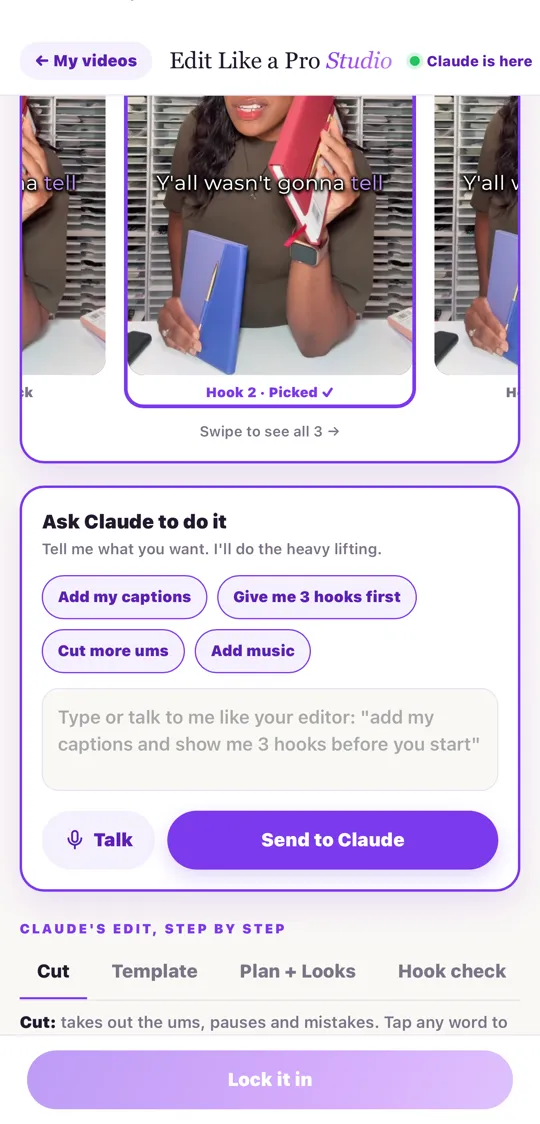
- Tell it what you want. Type it, say it out loud, or drop in a video with editing you love and it pulls from that.
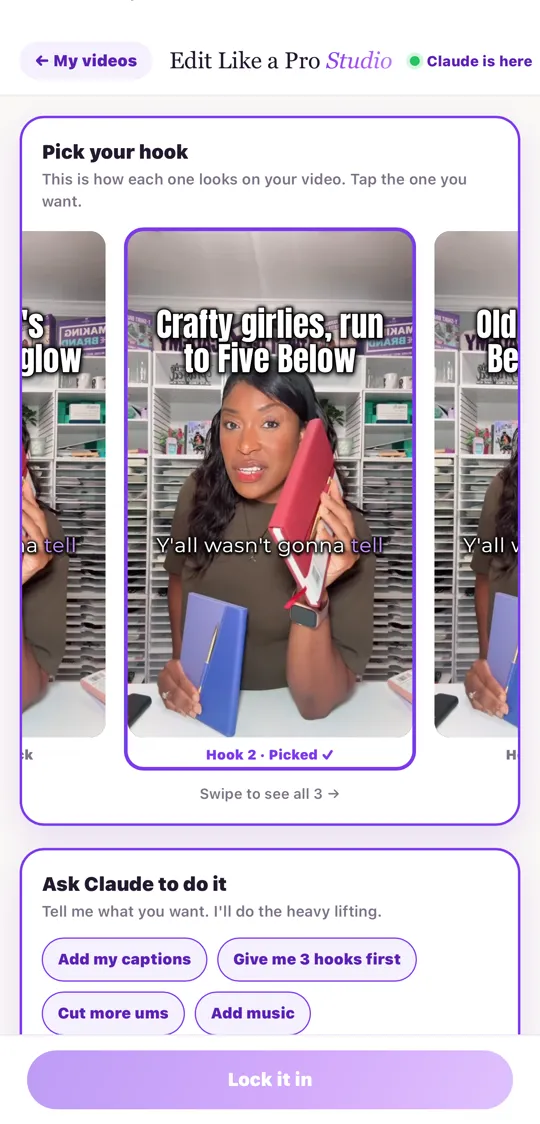
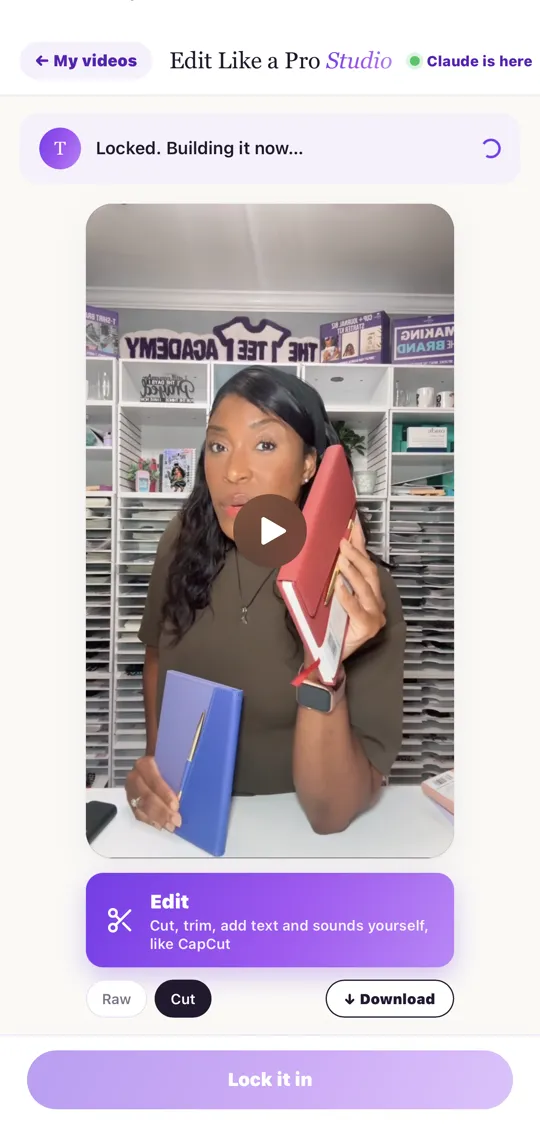
- Get it back edited. Text on screen, cuts, captions and sounds in your colors and your fonts. Pick your hook, lock it in, and download it.
It works for any kind of video, in any industry:
Raw video or finished video. Either one works.
Upload it straight from your phone.
Claude cuts out the ums and dead air, adds your text on screen, captions and sounds in your brand, and checks your hook. You get a finished video back.
Upload the video you already edited.
Even one you already posted. Claude breaks it into 3 new versions: one with a new hook, one shorter, and one that opens on your product. Your edit stays the same.
Get more out of every video you film.
You already did the hard part when you filmed it. The Studio squeezes every post it can out of that one video, so you're not filming something new every day.
- ✓3 trial reels from any video. A new hook, a shorter cut, and a different open. Post them as trial reels so Instagram tests them on new people, then put the winner on your main feed.
- ✓The extra reels hiding in your video. After every edit, Claude spots 2 or 3 more reels in your footage, like a story you told on the way to your point. Nothing gets made until you tap the one you want, so it won't eat your usage.
- ✓A YouTube version. Your vertical video turns into a wide YouTube video: you on the left, and an animation of what you're talking about on the right, timed to your words.
- ✓Why it went viral. Drop in a video that blew up and get a scorecard: the hook, the first second, the feeling, why people shared it, with the exact second each one happens and how to use it in your next video.
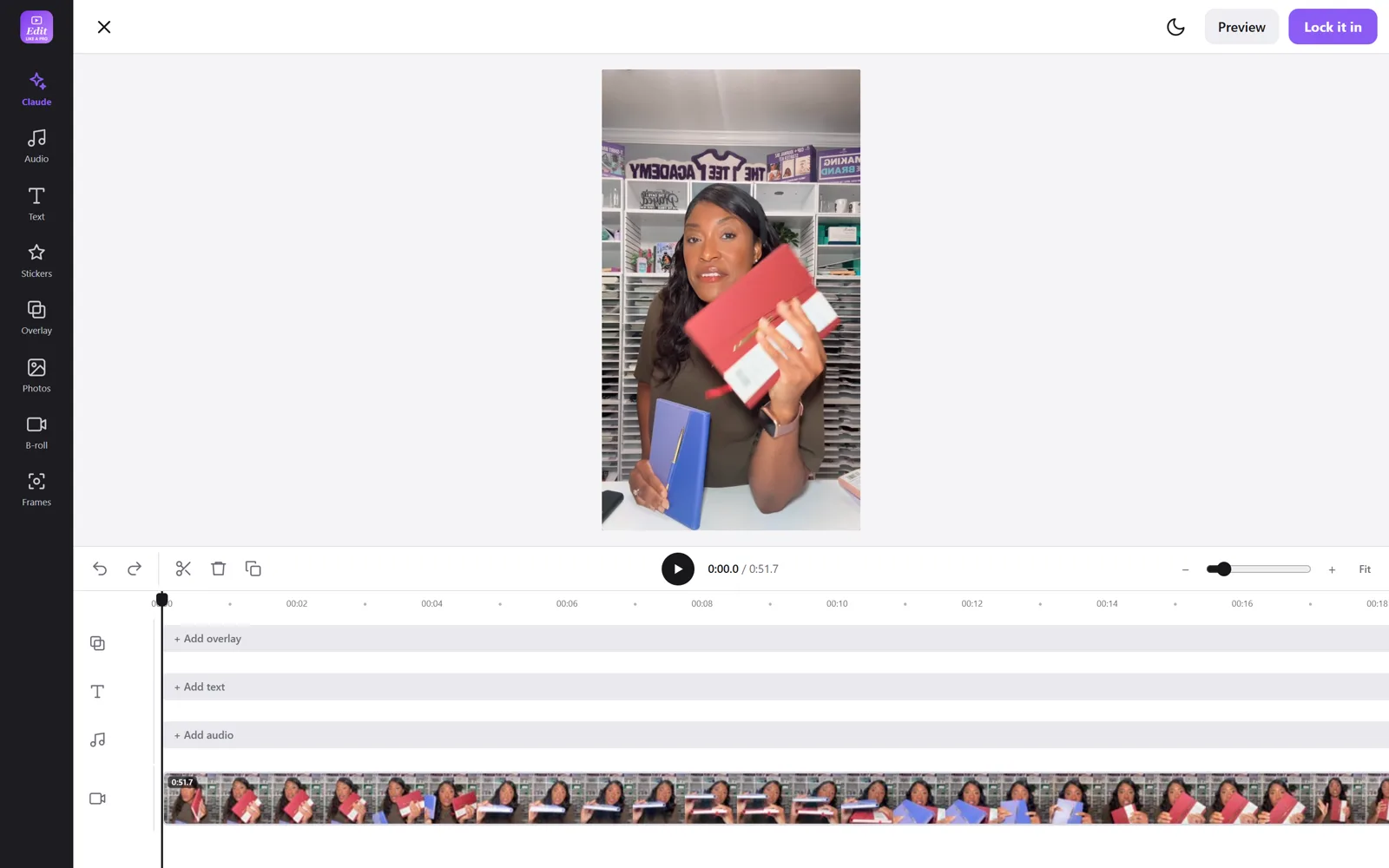
Same studio, bigger screen.
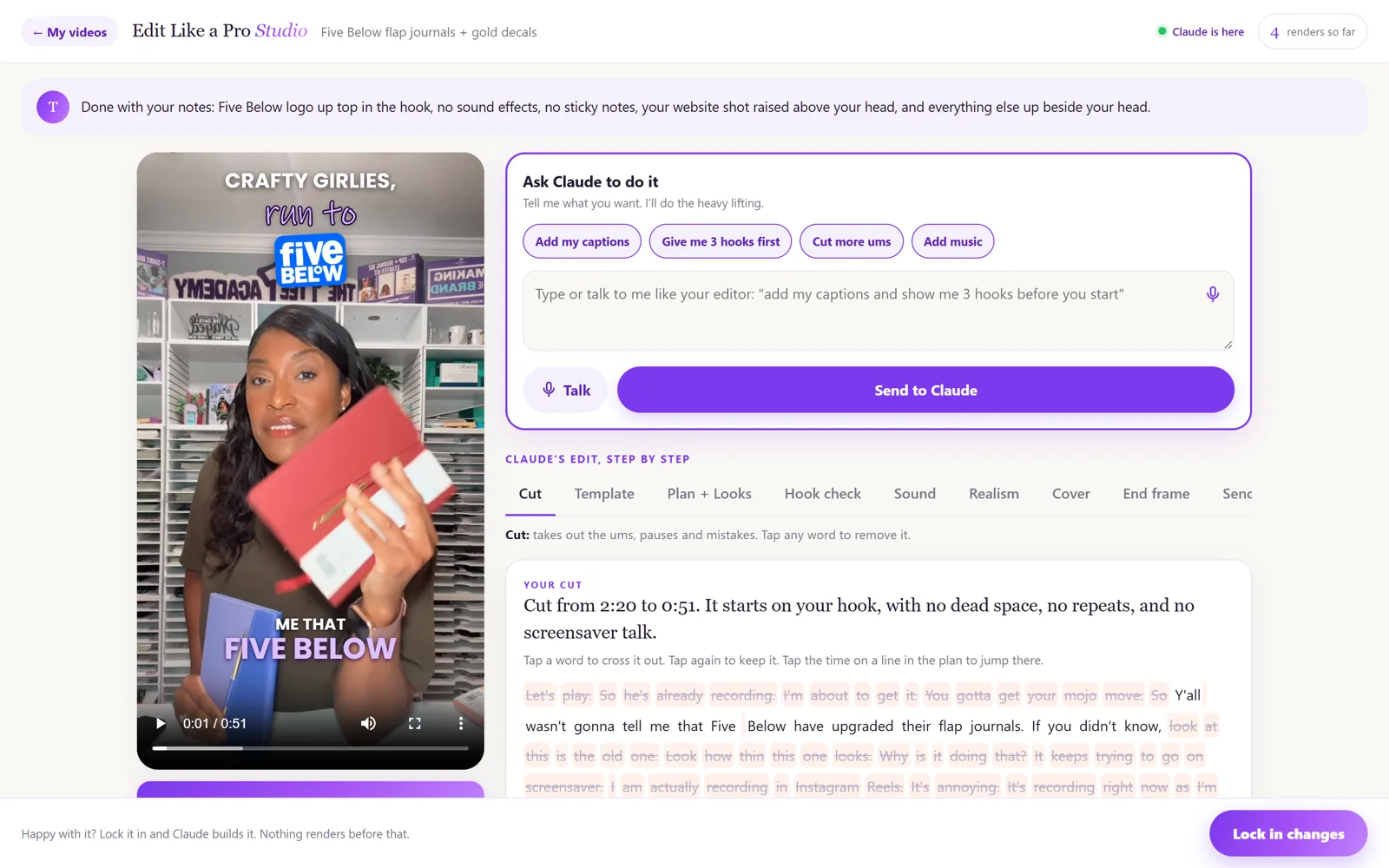
- ✓Hook check. It grades your first 3 seconds before you post.
- ✓Your brand, saved once. Your colors, logo and fonts on every video.
- ✓Your own library. Your sounds, GIFs, overlays and b-roll, plus starter sound effects.
- ✓Covers and end frames. A cover for every reel (or a YouTube thumbnail) and an ending with your keyword.
- ✓AI check. Made it with AI? It catches the goofs, like an outfit changing mid-video, before your followers do.
- ✓One video becomes your week. Caption, carousel, stories, 3 trial reels, a YouTube Short, a Pinterest pin, a blog post and an email.
- ✓Every size. Reels, TikTok, Shorts, YouTube and the feed.
- ✓Put it on your phone like an app. One tap from your home screen.
Edit Like a Pro Studio
- Your own editing studio on your computer and your phone
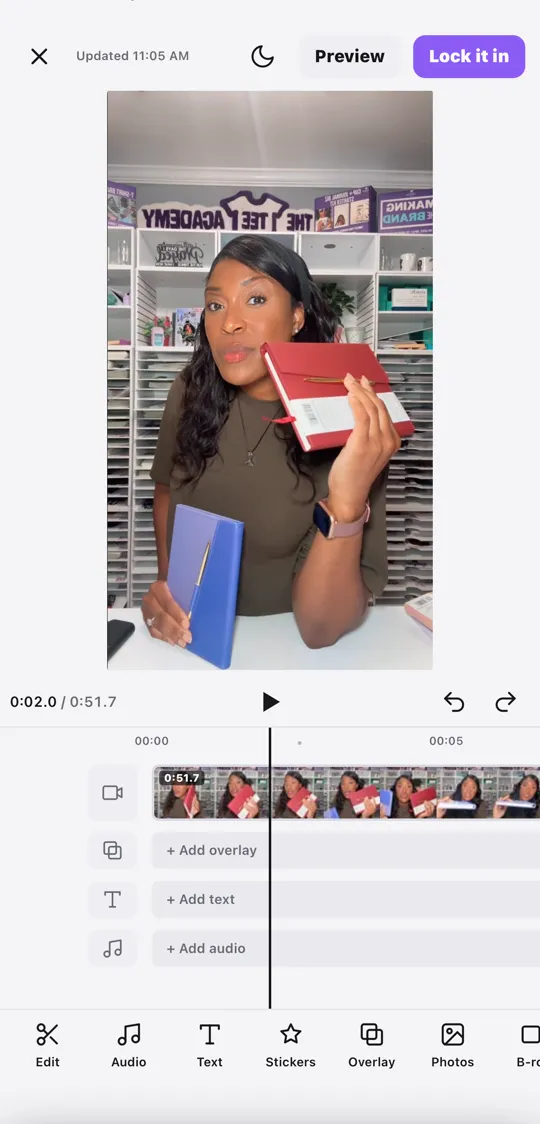
- Claude edits it for you, or you edit it yourself like CapCut
- Text on screen, cuts, captions and sounds in your brand
- Hook check, covers, end frames and the AI check
- Upload raw or finished: get trial reels, extra reels and a YouTube version
- "Why it went viral" scorecard for any video you love
- One video turned into a week of posts
- Copy-and-paste setup (it installs itself)
Pay once, keep it. Works on Mac and Windows.
I'm not techy. Can I do this?
Yes. You copy one setup message and it installs everything for you. After that you upload your video and tell it what you want.
What do I need?
A Mac or Windows computer and a paid Claude plan (it runs in the Claude desktop app) or ChatGPT Plus (it runs in Codex). Your computer does the work, and you can use it from your phone while your computer is on.
Does it cost credits to edit?
No. Editing runs on your own computer with free tools. Credits only come up if you ask it to make brand-new AI footage, and it shows you the cost and waits for your yes first.
Will it eat up my Claude usage?
Editing uses more of your plan than chatting. On the $20 plan you can still edit, and if you hit your limit it refills on its own in a few hours. You can also tell it to go easy on your usage.
Is this a monthly thing?
No. It's a one-time price and it's yours to keep.
Does it work with ChatGPT?
Yes, in ChatGPT Codex (ChatGPT Plus or higher, on your computer). The setup page walks you through both.
Every week that video sits in your camera roll is a week your product doesn't get seen.